Accidentally deleting a file from your Mac can be distressing, especially if it contains valuable photos, videos, documents, or other important information. Whether your data is deleted due to accidental deletion, storage formatting, a virus attack, or any other reason, there’s always a chance to restore it. Fortunately, several free Mac data recovery methods are available online that you can try to restore your deleted files with ease.
Among the most popular Mac data recovery solutions, the Stellar Data Recovery Free for Mac, Disk Drill, and EaseUS Data Recovery Wizard for Mac are known for their amazing features. Each software offers unique capabilities, recovery methods, and free recovery limits, making it important to understand their strengths before choosing one.
In this guide, we’ll explore key features of these three free Mac data recovery tools and compare them to help you understand which one is best for your data recovery needs.
Why Does Data Get Deleted on Mac?
Although macOS is known for its stability, data loss remains common. Identifying the exact reason for data loss on your Mac can help you determine adequate recovery workarounds. Some common reasons include:
- Accidental Deletion: You may have accidentally deleted an important file from your Mac while removing other files or folders.
- Drive Formatting: Formatting an internal SSD, external hard drive, USB flash drive, or SD card erases the file system, making existing data inaccessible.
- macOS Update or System Crash: Interrupted macOS updates, software bugs, or unexpected system crashes can corrupt files or make stored data inaccessible, especially if the update process is incomplete.
- External Drive Issues: If any external storage device connected to your Mac becomes unreadable, it results in missing or inaccessible files. Such instances generally happen due to improper ejection, bad sectors, cable failures, or compatibility problems.
- Virus or Malware Attacks: Though rare on Mac, sometimes malicious programs like viruses or malware delete, encrypt, or corrupt important files, leading to data loss.
Can I Recover Deleted Data on Mac?
Irrespective of the above data loss reasons on your Mac, your deleted data is often recoverable. When a file is deleted, macOS usually removes its reference from the file system rather than erasing the actual data immediately. Until the storage space is overwritten by new data, specialised data recovery software can often recover the deleted files.
You can use manual workarounds like checking the Trash or using previously created backups to restore deleted data. However, if you don’t have any backup, use third-party free Mac data recovery software tools. Here are the top three free tools that can help you restore deleted data on Mac for free:
1: Stellar Data Recovery Free
2: Disk Drill Free for Mac
3: EaseUS Data Recovery Wizard
Let’s explore these options in detail:
01: Stellar Data Recovery Free for Mac
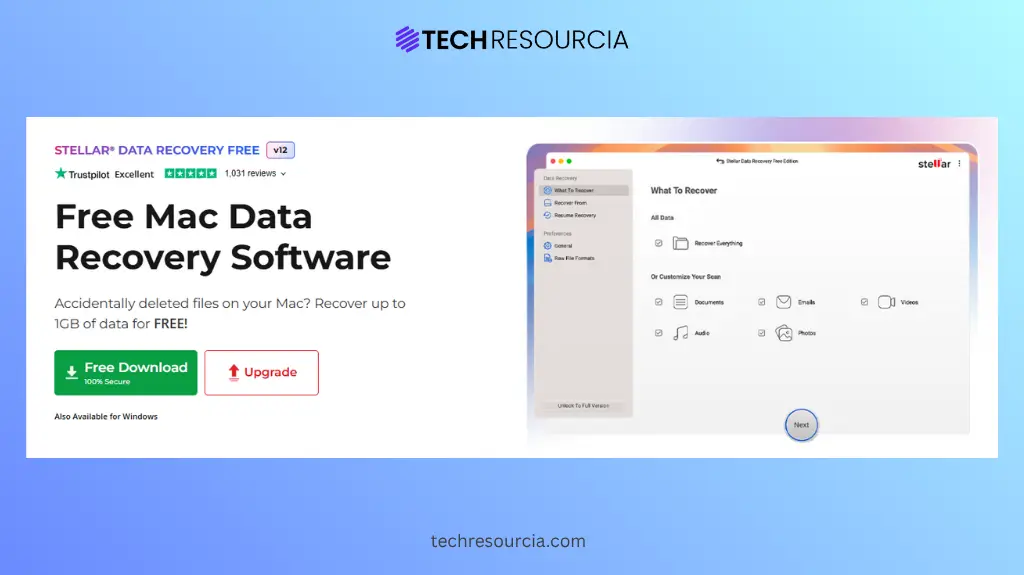
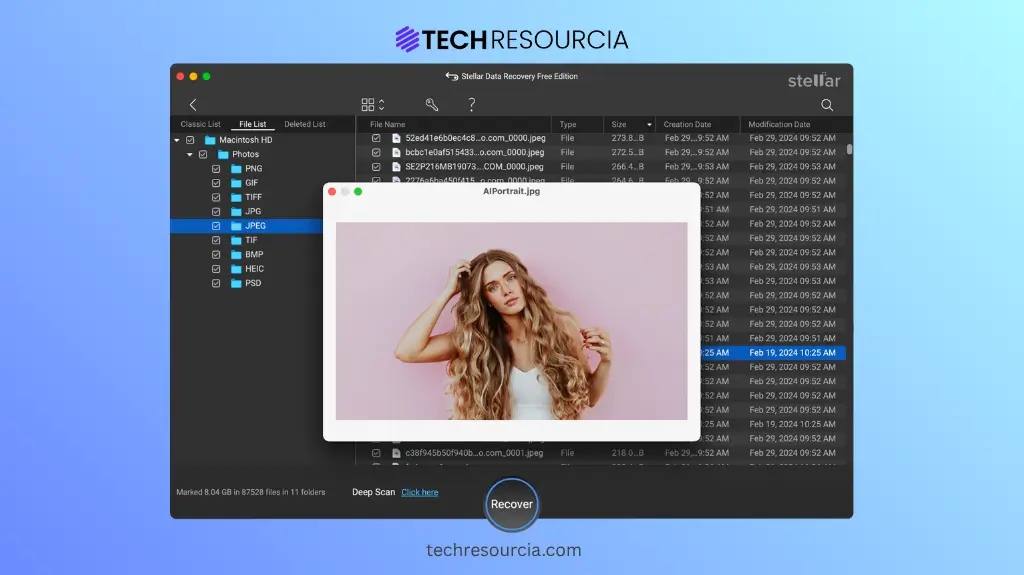
Stellar Data Recovery Free is a versatile free Mac data recovery software which you can use to restore deleted data of various types such as photos, videos, documents, etc. It is a reliable and user-friendly data recovery software, allowing you to restore deleted, lost, or inaccessible files from multiple storage devices. Whether your data is lost due to accidental deletion, formatting, system error, or any other reason, this software provides an efficient recovery solution.
The all-in-one Stellar Data Recovery Free for Mac software can help you restore files deleted from Mac SSDs, Fusion Drives, USB flash drives, SD cards, and external hard drives. It performs quick scanning of your storage media to find recoverable files. The preview feature of this tool lets you preview the recoverable files before saving them on your device.
Key Features of Stellar Data Recovery Free for Mac:
- The free version supports data recovery of up to 1 GB of files for free. To restore files of larger size, you can upgrade to the premium versions.
- Supports various file systems seamlessly, such as APFS, HFS+, FAT32, exFAT, and NTFS.
- Performs both Quick Scan and Deep Scan for efficient and comprehensive file recovery.
- Fully compatible with both Intel-based Macs and Apple Silicon Mac devices.
Here’s how to recover files using this free Mac data recovery software:
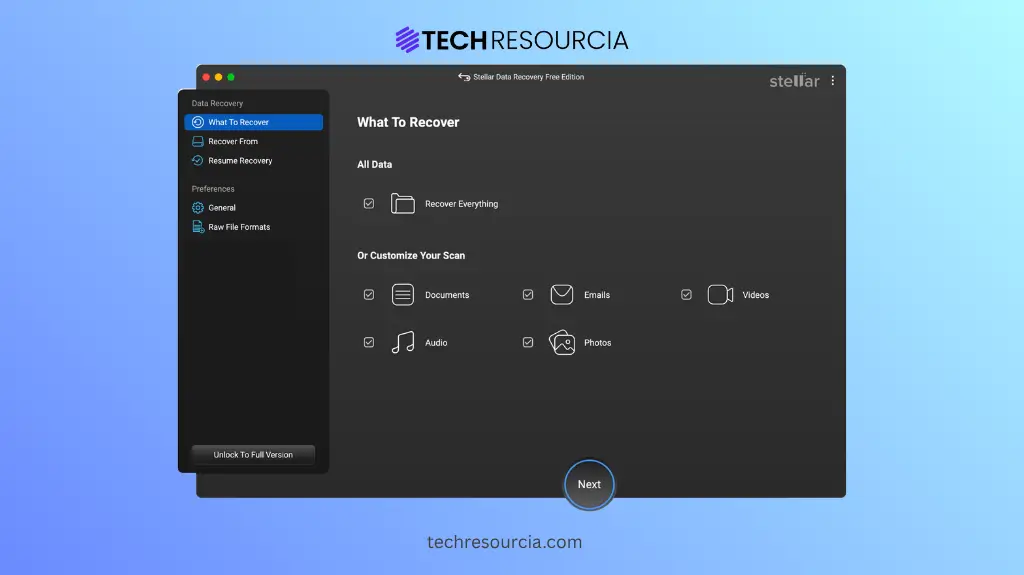
Step 1: Download and install the Stellar Data Recovery Free software on your Mac. Launch the software and from the homepage, select the type of file you want to restore and click Next.
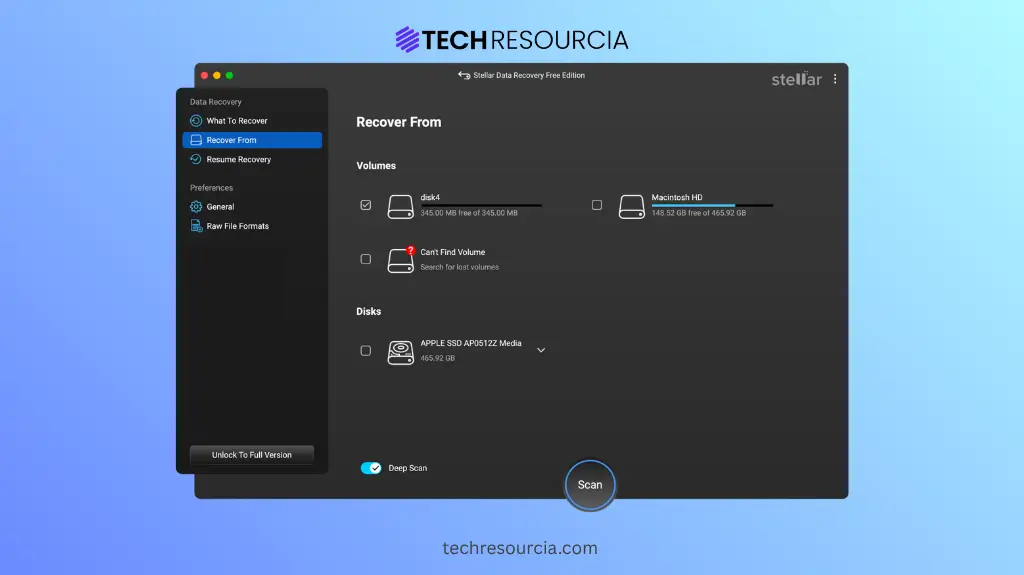
Step 2: Choose the storage drive where the deleted file was earlier stored and tap Scan to initiate the scanning process.
Step 3: Once the scan is done, preview the recoverable files and tap “Recover” to save them back to your device.
02: Disk Drill Free for Mac
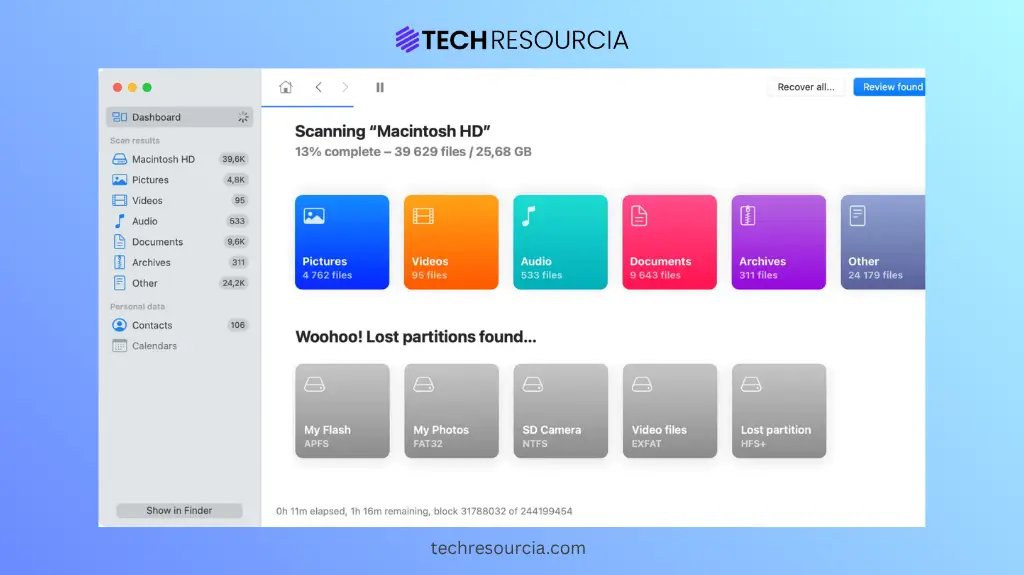
Disk Drill Free for Mac is a popular free Mac data recovery software which you can use to recover lost, deleted, or inaccessible files from Mac computers and external storage devices. The software can easily help you restore files deleted due to accidental deletion, formatting, system errors, corrupted partitions, or many other reasons. The software is compatible with popular file systems, including APFS, HFS+, FAT32, exFAT, EXT, and NTFS, making it suitable for recovering data from a variety of storage devices.
The Disk Drill software features both Quick Scan and Deep Scan modes to locate recoverable files efficiently. One of its amazing features is the Recovery Vault, which helps you to improve the chances of recovering accidentally deleted files by storing additional metadata. It also lets you preview the recoverable files, so you can save only the required files back to your device.
Key Features:
- Recovery Vault stores additional file metadata, significantly improving the chances of successfully recovering accidentally deleted files.
- Includes byte-to-byte disk backup, which you can use to create complete drive images before attempting recovery from damaged or failing storage devices.
- Offers both Quick Scan and Deep Scan modes to recover recently deleted files as well as deeply buried or corrupted data.
03: EaseUS Data Recovery Wizard for Mac
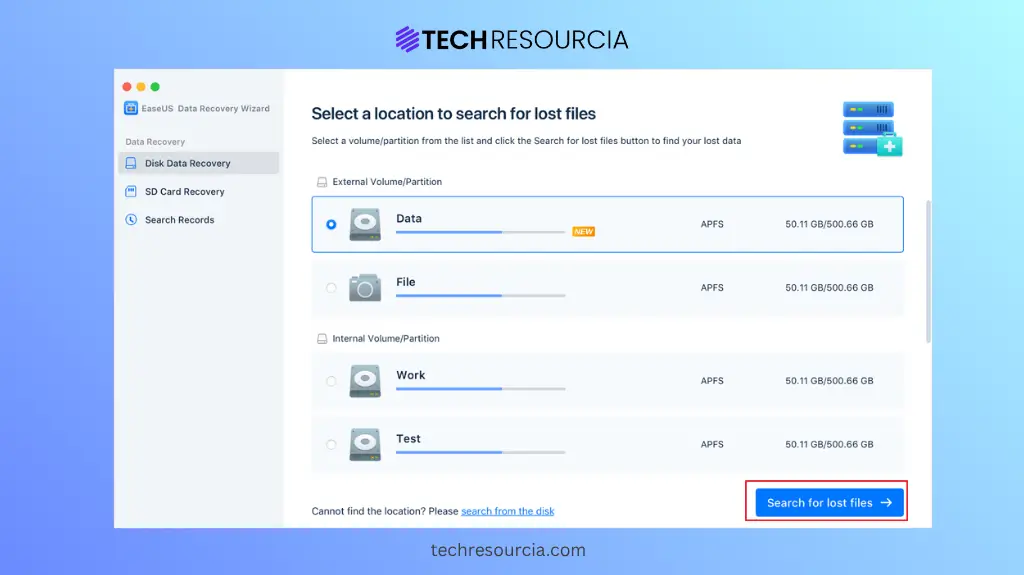
EaseUS Data Recovery Wizard for Mac is a widely used free Mac data recovery software which you can use to easily restore lost, deleted, or inaccessible files from various storage devices. The software lets you restore deleted files such as photos, videos, documents, etc., lost due to accidental deletion, formatting, system errors, and many other reasons. The software follows a simple three-step process—scan, preview, and recover—making it easy for beginners and non-tech-savvy users.
EaseUS offers both Quick Scan and Deep Scan modes, allowing you to recover files which are either recently deleted or lost due to severe corruption and formatting. Although the free version has a limited recovery capacity, it provides enough functionality for you to evaluate its recovery performance before upgrading to the premium edition.
Key Features:
- Supports recovery of deleted, formatted, and inaccessible files from Mac SSDs, USB drives, SD cards, external hard drives, and other storage devices.
- Provides Quick Scan and Deep Scan modes to recover recently deleted files and locate data from severely damaged storage devices.
- Compatible with the latest macOS versions and supports recovery of hundreds of file formats from internal and external storage devices.
Quick Comparison: Stellar Data Recovery vs. Disk Drill vs. EaseUS
| Feature | Stellar Data Recovery Free for Mac | Disk Drill Free for Mac | EaseUS Data Recovery Wizard for Mac Free |
| Free Recovery | Recovers up to 1 GB of data for free. | Allows scanning and preview; recovery requires paid version. | Offers limited free recovery for lost Mac files. |
| Recovery Modes | Provides Quick Scan and Deep Scan for thorough recovery. | Offers Quick and Deep Scan for efficient file recovery. | Includes Quick and Deep Scan for comprehensive searches. |
| Supported File Systems | Supports APFS, HFS+, HFS, FAT32, exFAT, and NTFS. | Compatible with APFS, HFS+, FAT32, exFAT, EXT, and NTFS. | Supports APFS, HFS+, FAT32, and exFAT file systems. |
| File Preview | Preview recoverable files before restoring selected data safely. | Preview recoverable files before initiating the recovery process. | Verify recoverable files using built-in preview before recovery. |
| Additional Features | Includes disk imaging for safe recovery from damaged drives. | Offers Recovery Vault, disk monitoring, backup, and cleanup tools. | Provides a simple recovery wizard with essential recovery features. |
| Best For | Best for reliable, comprehensive Mac data recovery needs. | Ideal for recovery with additional disk management utilities. | Perfect for beginners seeking an easy recovery experience. |
Conclusion
Recovering deleted files on your Mac may seem like a challenging task, especially if you don’t have any backup. If you ever encounter data loss issues, go with the aforementioned free Mac data recovery software tools to get your deleted files back. For users looking for the best balance of free recovery capacity, recovery accuracy, ease of use, and compatibility, Stellar Data Recovery Free for Mac, Disk Drill, and EaseUS data recovery tool stand out as the strongest overall choice.
Regardless of the software you choose, stop using the affected drive immediately after data loss to avoid overwriting deleted files. The sooner you perform recovery, the higher your chances of successfully restoring your important data.